
Active period: 2026 | Type: Guide, with a worked example | Applies to: EC2, on-prem, VMware, physical
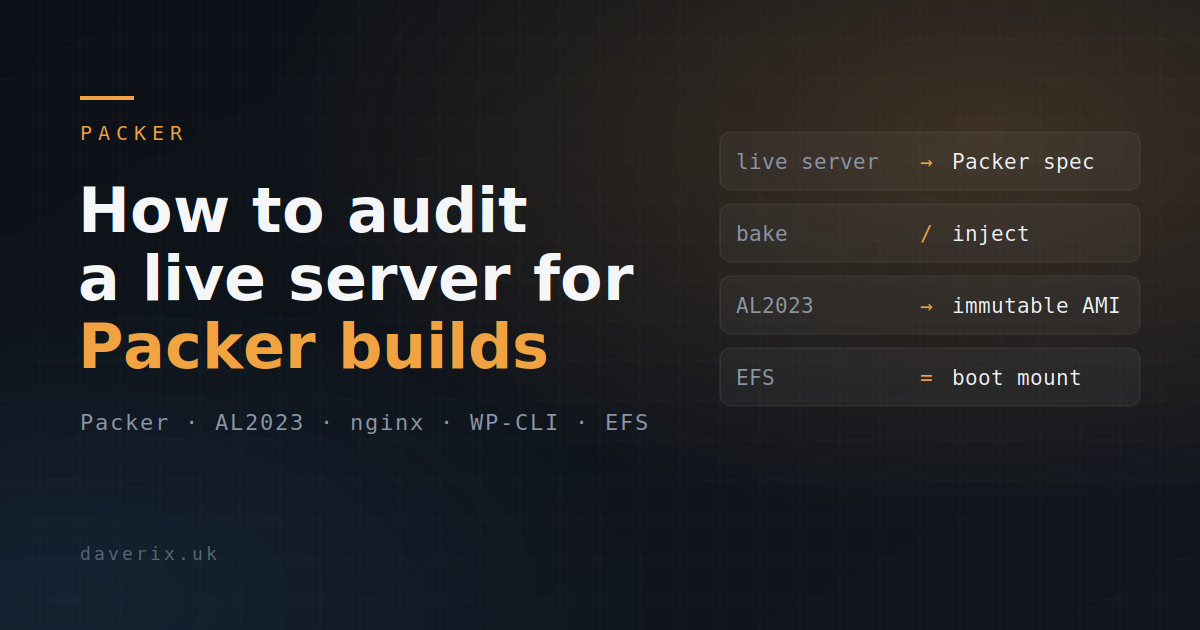
Before you can build a Packer image to replace an existing server, you have to know exactly what that server is. This is a method for systematically interrogating a running Linux instance and turning it into a reproducible Packer configuration. It is deliberately source-agnostic: the box could be an EC2 instance, an on-prem server, a VMware guest or bare metal – the audit is the same, and the output is infrastructure you can rebuild from code. It is grounded in a real case, capturing a multi-site WordPress host, and pairs with Building a Packer AMI for use with an Auto Scaling Group, which consumes the configuration this process produces.
Why reverse-engineer rather than rebuild from memory
A server that has been running for years is rarely what its documentation says it is. Packages have been added by hand, config files tweaked over SSH, cron jobs dropped in, services enabled and forgotten. That accumulated, undocumented state is exactly what breaks a from-scratch rebuild. Auditing the live box captures reality, not intention.
The audit: what to enumerate
Work through each layer of the system and capture the output. The commands below assume a modern RPM-based distribution (Amazon Linux, RHEL, Fedora); the equivalents on Debian/Ubuntu are noted where they differ.
# Packages and enabled repositories
rpm -qa --qf '%{NAME} %{VERSION}-%{RELEASE}\n' | sort   # dpkg -l on Debian/Ubuntu
dnf repolist enabled                                    # apt-cache policy

# Services: enabled units and what is actually listening
systemctl list-unit-files --state=enabled
systemctl list-units --type=service --state=running
ss -tlnp                                                # listening TCP sockets + owning process

# Runtime stack and extensions (PHP shown; adapt per stack)
php -v
php -m                                                  # loaded modules/extensions
php --ini                                               # which ini files are loaded

# Scheduled work
crontab -l; ls -la /etc/cron.* /etc/cron.d/
systemctl list-timers --all

# Users, groups, privilege
getent passwd; getent group
cat /etc/sudoers; ls -la /etc/sudoers.d/

# Filesystem layout, mounts and network filesystems
lsblk -f; mount; cat /etc/fstab                         # EFS/NFS show here

# Config that differs from package defaults
rpm -Va # verify installed files vs package manifest- Packages and repos – the full installed set and the repositories they came from, so the bake installs the same versions from the same sources
- Services and listening ports – what runs, what is enabled at boot, and what binds to which port
- Runtime stack – language version, loaded extensions, and the ini/config files in effect
- Scheduled work – cron entries and systemd timers, including per-user crontabs
- Users, groups, sudoers – accounts and privilege that the application or operators depend on
- Filesystem and mounts – layout, and any network filesystems (EFS, NFS) that must be attached at boot rather than baked
- Config drift – files that differ from their package defaults are the hand-edits you must capture
Turning the audit into a Packer configuration
Each finding maps to a decision: bake it into the image, or inject it at boot. As a rule, anything stable and common to every instance is baked via provisioners; anything per-instance or sensitive is injected.
- Packages, runtime, extensions – shell provisioners installing pinned versions
- Config that differs from default – file provisioners laying down the captured config
- Network filesystems (EFS/NFS) – mounted at boot via user-data, not baked
- Secrets – never baked; injected from SSM Parameter Store or Secrets Manager
Worked example: a multi-site WordPress host
The real case behind this guide: a single EC2 instance hosting multiple WordPress deployments, each in its own path, with shared content on an EFS volume. The findings below are the output of the audit, with each item classified.
Packages and tools — baked
jqwas absent from the AL2023 base image but required by the manifest scripts — had to be explicitly added to the provisioner; it cannot be assumed presentphp-cliis installed separately fromphp-fpm; WP-CLI depends on it and cannot assume it arrives as a side-effect of the web stackat/atdwas present and enabled — needed for deferred task scheduling; confirmed it must be included in the build- WP-CLI is not in the AL2023 package repos and must be downloaded and installed manually in the provisioner; installed to
/usr/local/bin/wp - WP-CLI requires an explicit memory limit override — the PHP default 128 MB is insufficient to extract the WordPress core archive or install some larger plugins:
php -d memory_limit=512M /usr/local/bin/wp
Directory structure — split between AMI and EFS
- WordPress sites were served entirely from
/mnt/efs/wordpress/{site}/html/— the migration moves core to the AMI root volume - W3TC disk cache was already at
/var/cache/w3tc/on the instance root volume (nginx:nginx, mode755), not on EFS — intentional, the cache is ephemeral - Only two EFS-backed paths need to persist per site:
/opt/wordpress/{site}/wp-content/uploads→/mnt/efs/uploads/{site}/and/opt/wordpress/{site}/wp-content/w3tc-config→/mnt/efs/w3tc-config/{site}/ - Both symlinks are intentionally broken at AMI build time — EFS is not mounted during the Packer build. They resolve correctly at runtime.
wp-config.php constants — injected at boot
Three constants beyond the standard WordPress config were required by the running setup:
define( 'W3TC_CACHE_DIR',  '/var/cache/w3tc' );
define( 'WP_CONTENT_DIR',  '/opt/wordpress/{site}/wp-content' );
define( 'WP_CONTENT_URL',  'https://{site}/wp-content' );
WP_CONTENT_DIR and WP_CONTENT_URL are needed because core and wp-content are no longer co-located.
nginx configuration — baked, but staged off /etc/nginx
- Debian-style
sites-available/sites-enabledwith reversed-label filenames:daverix.ukbecomesuk.daverix.conf - PHP-FPM socket path in use:
/run/php-fpm/www.sock— a mismatch silently returns a 502 - Critical finding:
/etc/nginxis bind-mounted from EFS at boot (/mnt/efs/config-php83/nginx). Anything written to/etc/nginxduring the Packer build is immediately hidden by the mount when the instance starts. Staged configs go to/usr/share/wp-stack/nginx/sites-available/on the AMI root volume, where they are always accessible regardless of EFS state.
EFS and systemd ordering — baked
- EFS must be mounted before nginx, php-fpm, or postfix start; without systemd drop-ins declaring
After=andRequiresMountsFor=/mnt/efs, services race the mount and start against absent configuration - An existing daily cron (
efs-ensure-bursting.sh) that reverts EFS throughput mode from Elastic back to Bursting was found on the instance and baked into the AMI; it is an operational safeguard independent of the migration itself
What did not need to change
- RDS connection details — carried unchanged into
wp-config.php - EFS filesystem ID and mount configuration — carried forward as-is into
fstab.efs - PHP-FPM pool config — default
www.confrunning asnginx:nginxwas already correct for the workload
Gotchas
- State that exists only because someone SSH’d in once – the hardest thing to find and the most likely to break a rebuild
- Secrets sitting in config files on the live box – capture that they exist, but inject the values, never bake them
- Data on local disk that should be on a network filesystem – the move to immutable images forces this distinction
- WP-CLI’s default PHP memory allocation (128 MB) is insufficient for core archive extraction and some plugin installs — always invoke as
php -d memory_limit=512M /usr/local/bin/wp - If
/etc/nginxis bind-mounted from EFS at boot, any nginx config baked into the AMI at that path is silently hidden at runtime — stage configs to a location on the AMI root volume instead
Outcome
A documented, reproducible specification of a server that previously existed only as a running instance – ready to be built into an immutable image and deployed from code. The payoff is that the box is no longer a pet: it can be rebuilt, versioned and scaled on demand.
The next step is to turn the results of this interrogation into a Packer AMI build – but that is for another time.