If you have been anywhere near AI development in the last twelve months, you will have encountered the words agent, MCP, tool, and skill thrown around constantly – often interchangeably, often loosely, and often in ways that make understanding the underlying architecture considerably harder than it needs to be.
This post is a practical glossary. It defines each concept clearly, explains where it lives, how it is created, and critically, how it connects to the other pieces. By the end you should have a clear mental model of the full stack, from the agent making decisions at the top, through the plumbing in the middle, down to the backend services doing the actual work.
What Is an AI Agent?
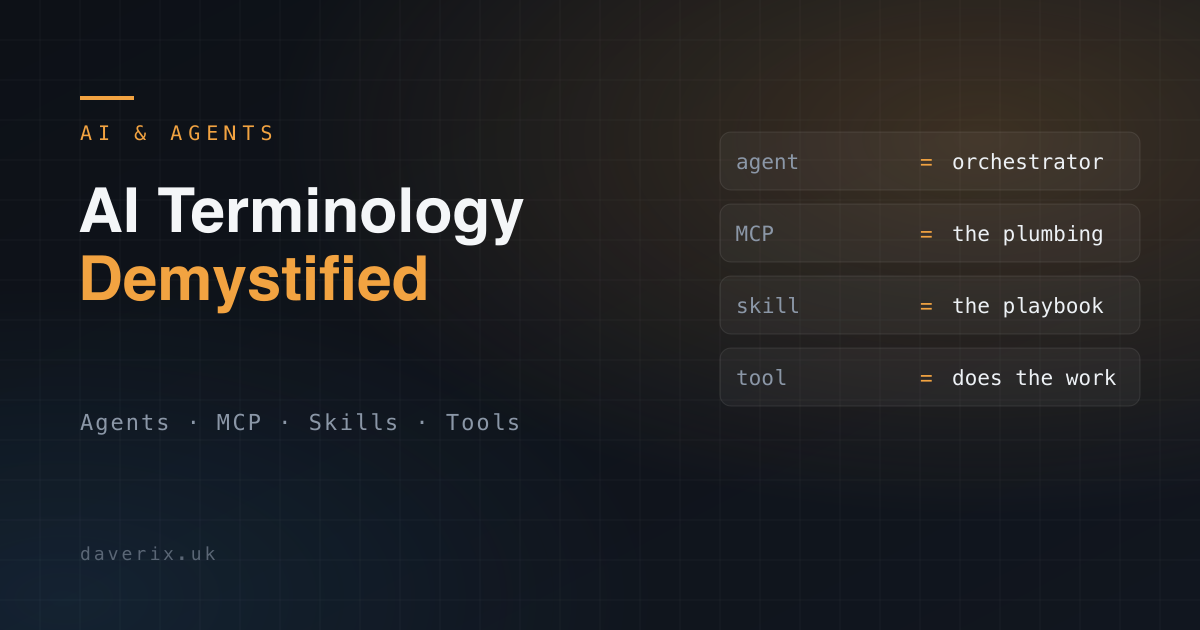
An AI agent is decision-making software. It is the orchestration layer – the piece that evaluates a situation, decides what actions to take, determines the order to take them in, calls the appropriate tools, and handles what happens when things do not go as expected.
Think of it as the conductor of an orchestra. It does not play every instrument itself – it coordinates everything around it.
What it does
- Receives a goal or task, either from a human or from another agent
- Breaks that goal down into steps
- Decides which tools or services to invoke at each step
- Evaluates the responses it gets back
- Adjusts course if needed
- Returns a final result or passes output to the next process
Where it lives
On your infrastructure. An agent is software you own and deploy – whether that is a container in a Kubernetes cluster, a service on ECS Fargate, or a process on a dedicated server. It is not a cloud service someone else runs for you (although managed agent platforms exist). The compute, the memory, and the runtime belong to you.
How it is created
Typically using an orchestration framework. Popular options include CrewAI, LangGraph, AutoGen, and similar libraries. You define roles, tasks, workflow logic, and the tools the agent has access to. The underlying language model – Claude, GPT, or similar – provides the reasoning capability, but the agent framework provides the structure and the loops.
A simple example
An agent managing an e-commerce business might monitor stock levels, detect when a product line is running low, trigger a reorder workflow, notify the supplier, and adjust the product listing status on the website – all without human intervention. Each of those steps involves calling a different service. The agent decides when and how to call each one.
What Is an MCP?
MCP stands for Model Context Protocol. It is the plumbing layer – the standardised software bridge between your agent (or a user interacting with an LLM directly) and the external services, APIs, and data sources your system needs to talk to.
If the agent is the conductor, the MCP is the stage – the physical infrastructure that connects every instrument to every other part of the performance.
What it does
- Exposes a set of tools with defined names, parameters, and return values
- Translates requests from the agent into actual API calls your backend understands
- Takes responses from those APIs and translates them back into a format the agent can reason about
- Handles authentication, rate limiting, error translation, and all the other API plumbing your agent should not have to know about
Where it lives
On your infrastructure, as a service. The MCP server is a piece of software – typically a Node.js or Python application – that runs as a process or container on your systems. It listens for incoming requests, does the translation work, and hands results back. It sits between your agent and whatever external service it is connecting to.
This is worth emphasising: the MCP code lives on your infrastructure, not on the external service’s platform. You could run an MCP server in a container alongside your agent in the same Kubernetes cluster, or as a separate standalone service. You control where it runs.
Who writes it
Ideally, the platform owner. Shopify would write the best Shopify MCP because they know every nuance of their own API – the rate limits, the edge cases, the preferred patterns. The same goes for Xero, GitHub, or any other platform with an API.
In practice, the landscape is mixed. Some platforms publish official MCPs. Some have community-built connectors maintained by third parties. And for some services – particularly internal or bespoke APIs – you will write your own.
How it is created
You write an MCP server application that defines your tools – the functions it exposes – along with descriptions of what each tool does, the parameters it accepts, and what it returns. This schema is what the agent uses to understand what the MCP is capable of.
A simple example
Your Shopify MCP sits on your infrastructure. When your agent needs to check stock levels, it calls the MCP’s get_inventory tool. The MCP translates that into the appropriate Shopify Admin API call, receives the JSON response, and hands back structured data the agent can work with. The agent never needed to know anything about OAuth tokens, API versioning, or rate limit headers.
What Is a Skill Definition
A skill definition – often represented as a SKILL.md file or similar – is documentation and metadata. It is the contract that tells an agent or a user what a tool or service is capable of, without being the implementation itself.
If the MCP is the stage, a skill definition is the programme notes – the document that tells the audience (or the agent) what each performer does, how to call on them, and what to expect in return.
What it does
- Describes a capability in natural language, structured for the agent to understand
- Defines the parameters a tool accepts, their types, and what they mean
- Describes the output format and what the return values represent
- Sets expectations about when and how to use the capability
- May include examples of correct usage
Where it lives
In your codebase, alongside your agent or MCP configuration. It is a text or markdown file – not executable code. It is read at configuration time to inform the agent what tools are available and how to use them.
The relationship between a skill definition and an MCP
This is where it gets interesting. An MCP and a skill definition are not the same thing:
- The MCP is the implementation – the actual running software that makes API calls happen
- The skill definition is the description – the structured documentation that tells the agent what the MCP can do
An MCP will often ship with its own skill definition. That is the standard pattern. But you are not required to use the one that comes with it.
Overriding a Skill Definition
One of the more powerful patterns in this space is the ability to write your own skill definition for an MCP that already has one. This gives you control over how your agent understands and uses a capability, without modifying the underlying MCP implementation at all.
Why would you do this?
- The default skill definition covers everything the MCP can do, but your agent only needs a subset
- The terminology in the default definition does not match your internal language or domain
- You want to add extra context, examples, or constraints specific to your business logic
- You want to present the same underlying capability differently to different agents
In practice
Say Shopify publishes an MCP with a skill definition that covers their entire API surface. For your business, you only care about inventory management and order status. You write your own SKILL.md that describes only those two capabilities, using the language and context that makes sense for your systems. Your agent loads your definition, not Shopify’s. The MCP underneath stays the same (it still does the translation work), but your agent has a cleaner, more focused view of what is available.
This separation of description from implementation is a genuinely useful architectural principle. It means you can evolve your agent’s understanding of a service without touching the service integration itself.
Standalone Skills
Not all skills are wrappers around an MCP. Some skills are entirely standalone: they describe capabilities that do not depend on any external API or MCP server at all.
A standalone skill might describe how to format a specific type of report, how to approach a particular category of problem, how to handle a recurring workflow, or how to apply domain knowledge in a specific context. It is pure instruction and context, loaded directly into the agent’s or model’s working knowledge.
Examples
- A skill that tells your agent how to write product descriptions for a specific business: the terminology, the tone, the structure
- A skill that defines how to triage a customer support request before escalating
- A skill that encodes your internal coding standards and architectural preferences for a code review agent
These skills live in your configuration, not on a server. They are invoked not by making a network call but simply by the agent reading and applying them as part of its context.
How They All Fit Together
Here is the full picture, from top to bottom:
User or Trigger
      |
   [Agent]
   Orchestration logic - lives on your infrastructure
   Receives a goal, breaks it down, decides what to call
      |
      |---> [Skill Definitions]
      |     Loaded at config time - tells the agent what tools are available
      |     May be MCP-specific or standalone
      |
      |---> [MCP Server]
            Translation layer - lives on your infrastructure
            Converts agent requests into API calls
            Translates API responses back to agent-readable format
                  |
                  |---> External Service (Shopify, Xero, your internal API, etc.)
The flow of a typical interaction looks like this:
- A goal arrives at the agent, either from a human prompt or from an upstream trigger
- The agent consults its skill definitions to understand what tools it has available
- The agent decides to call a tool, say, “get today’s orders from Shopify”
- That request goes to the Shopify MCP server running on your infrastructure
- The MCP server translates the request into a Shopify API call, handles authentication, and fires the request
- Shopify responds with JSON
- The MCP server translates that back into structured data the agent can reason about
- The agent processes the response, decides on the next step, and continues
At no point does the agent need to know about OAuth tokens, API endpoint paths, rate limit headers, or response schema versioning. The MCP absorbs all of that complexity.
Quick Reference Summary
| Concept | What It Is | Where It Lives | Who Creates It |
|---|---|---|---|
| Agent | Decision-making and orchestration logic | Your infrastructure (K8s, ECS, server) | You, using a framework like CrewAI or LangGraph |
| MCP Server | Translation layer between agent and external API | Your infrastructure, as a running service | Platform owner (ideally) or you |
| Skill Definition | Structured description of what a tool can do | Your codebase / configuration files | You, or the MCP publisher |
| Standalone Skill | Instructions and context with no external dependency | Your configuration | You |
A Note on Terminology
It is worth flagging that the terminology in this space is not yet settled. Different frameworks, platforms, and communities use these words in overlapping ways. Some platforms use “tool” where others use “skill.” Some use “agent” to describe what others call a “workflow.” MCP itself is a relatively recent standardisation; before it existed, similar patterns existed under different names.
The definitions above reflect the current consensus as the ecosystem matures, particularly around the Model Context Protocol as a standardised layer. But if you encounter these terms in different contexts and something does not quite fit the definitions here, that is normal. The important thing is understanding the underlying principles: there is an orchestration layer, a translation layer, and a description layer; keeping them conceptually separate will serve you well regardless of what any particular platform decides to call them.
Wrapping Up
The AI tooling ecosystem is moving fast, and the vocabulary is genuinely confusing if you approach it without a clear mental model. But at its core, the architecture is straightforward:
- The agent is the brain: it decides what to do
- The MCP is the hands: it does the actual work of connecting to services
- The skill definition is the briefing document: it tells the brain what the hands can do
- A standalone skill is domain knowledge: expertise the agent carries with it
Get those four concepts clear in your head and the rest of the ecosystem starts to make a lot more sense.
Dave Rix is a Senior AWS Cloud Architect with 30+ years of experience building production systems. He writes about AI architecture, cloud infrastructure, and agentic engineering at daverix.ai.